


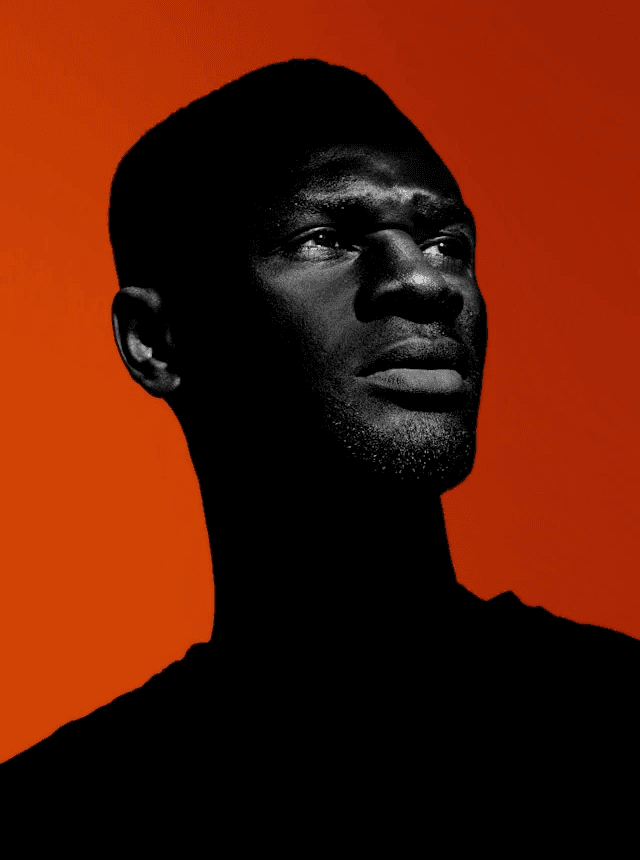
ID No:
PXL-PRFCT-01
EXPIRY:
NEVER
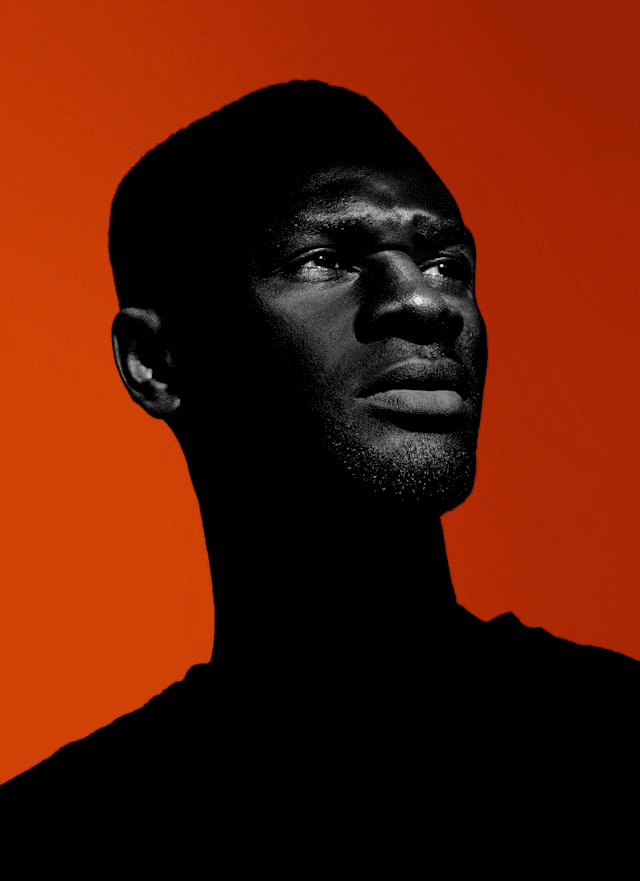
John Smithson
UI/UX Designer
Crafting digital experiences that feel intuitive and just make sense.
ISSUED:
DEPT. OF DESIGN
ID No:
PXL-PRFCT-01
EXPIRY:
NEVER
John Smithson
UI/UX Designer
Crafting digital experiences that feel intuitive and just make sense.
ISSUED:
DEPT. OF DESIGN
ID No:
PXL-PRFCT-01
EXPIRY:
NEVER
John Smithson
UI/UX Designer
Crafting digital experiences that feel intuitive and just make sense.
ISSUED:
DEPT. OF DESIGN
ID No:
PXL-PRFCT-01
EXPIRY:
NEVER
John Smithson
UI/UX Designer
Crafting digital experiences that feel intuitive and just make sense.
ISSUED:
DEPT. OF DESIGN
WORK 25'
Here’s a look at what I’ve been up to. A curated collection of recent projects where strategy, design, and a little bit of obsession came together.
WORK 25'
Here’s a look at what I’ve been up to. A curated collection of recent projects where strategy, design, and a little bit of obsession came together.
WORK 25'
Here’s a look at what I’ve been up to. A curated collection of recent projects where strategy, design, and a little bit of obsession came together.
Moon Light GT Phantom Opera
Website

Moon Light GT Phantom Opera
Website
Moon Light GT Phantom Opera
Website
Momentum SaaS Platform
Product / Web App
Momentum SaaS Platform
Product / Web App
Momentum SaaS Platform
Product / Web App
MY PROCESS
Good design isn't magic; it's a process. This is my framework for navigating ambiguity and turning complex challenges into clear, beautiful solutions.
MY PROCESS
Good design isn't magic; it's a process. This is my framework for navigating ambiguity and turning complex challenges into clear, beautiful solutions.
MY PROCESS
Good design isn't magic; it's a process. This is my framework for navigating ambiguity and turning complex challenges into clear, beautiful solutions.
01
Discovery & Strategy
First, I dig deep to understand your business goals, your users, and the exact problem we need to solve.
EXPECTED TIME
5-7 Days
KEY SERVICES
User Research, Stakeholder Workshops, Competitive Analysis, User Persona Development.
01
Discovery & Strategy
First, I dig deep to understand your business goals, your users, and the exact problem we need to solve.
KEY SERVICES
User Research, Stakeholder Workshops, Competitive Analysis, User Persona Development.
01
Discovery & Strategy
First, I dig deep to understand your business goals, your users, and the exact problem we need to solve.
EXPECTED TIME
5-7 Days
KEY SERVICES
User Research, Stakeholder Workshops, Competitive Analysis, User Persona Development.
01
Discovery & Strategy
First, I dig deep to understand your business goals, your users, and the exact problem we need to solve.
EXPECTED TIME
5-7 Days
KEY SERVICES
User Research, Stakeholder Workshops, Competitive Analysis, User Persona Development.
02
Design & Prototyping
I map out the user journey and build high-fidelity, interactive prototypes so you can see and feel the final product.
EXPECTED TIME
1-2 Weeks
KEY SERVICES
Information Architecture, Wireframing, UI/UX Design, Interactive Prototyping.
02
Design & Prototyping
I map out the user journey and build high-fidelity, interactive prototypes so you can see and feel the final product.
KEY SERVICES
Information Architecture, Wireframing, UI/UX Design, Interactive Prototyping.
02
Design & Prototyping
I map out the user journey and build high-fidelity, interactive prototypes so you can see and feel the final product.
EXPECTED TIME
1-2 Weeks
KEY SERVICES
Information Architecture, Wireframing, UI/UX Design, Interactive Prototyping.
02
Design & Prototyping
I map out the user journey and build high-fidelity, interactive prototypes so you can see and feel the final product.
EXPECTED TIME
1-2 Weeks
KEY SERVICES
Information Architecture, Wireframing, UI/UX Design, Interactive Prototyping.
03
Test & Refine
This is where we polish the diamond. I test the designs with real users to find and fix any friction points, ensuring a flawless experience.
EXPECTED TIME
7-10 Days
KEY SERVICES
User Testing, Feedback Synthesis, A/B Testing, Design Iteration.
03
Test & Refine
This is where we polish the diamond. I test the designs with real users to find and fix any friction points, ensuring a flawless experience.
KEY SERVICES
User Testing, Feedback Synthesis, A/B Testing, Design Iteration.
03
Test & Refine
This is where we polish the diamond. I test the designs with real users to find and fix any friction points, ensuring a flawless experience.
EXPECTED TIME
7-10 Days
KEY SERVICES
User Testing, Feedback Synthesis, A/B Testing, Design Iteration.
03
Test & Refine
This is where we polish the diamond. I test the designs with real users to find and fix any friction points, ensuring a flawless experience.
EXPECTED TIME
7-10 Days
KEY SERVICES
User Testing, Feedback Synthesis, A/B Testing, Design Iteration.
04
Handoff & Launch
I deliver a comprehensive, developer-ready design system. This ensures a fast, efficient, and pixel-perfect launch.
EXPECTED TIME
3-5 Days
KEY SERVICES
Developer Handoff, Design System Management, Component Libraries, Style Guides.
04
Handoff & Launch
I deliver a comprehensive, developer-ready design system. This ensures a fast, efficient, and pixel-perfect launch.
KEY SERVICES
Developer Handoff, Design System Management, Component Libraries, Style Guides.
04
Handoff & Launch
I deliver a comprehensive, developer-ready design system. This ensures a fast, efficient, and pixel-perfect launch.
EXPECTED TIME
3-5 Days
KEY SERVICES
Developer Handoff, Design System Management, Component Libraries, Style Guides.
04
Handoff & Launch
I deliver a comprehensive, developer-ready design system. This ensures a fast, efficient, and pixel-perfect launch.
EXPECTED TIME
3-5 Days
KEY SERVICES
Developer Handoff, Design System Management, Component Libraries, Style Guides.
TESTIMONIALS
Don't just take my word for it. Here's what some of my favorite collaborators have to say about the process and the results we achieved together.
TESTIMONIALS
Don't just take my word for it. Here's what some of my favorite collaborators have to say about the process and the results we achieved together.
TESTIMONIALS
Don't just take my word for it. Here's what some of my favorite collaborators have to say about the process and the results we achieved together.

Mike T
Founder, Mike's Artisan Breads
I was so overwhelmed by the tech. John was incredibly patient, explained everything simply, and built a site I can finally manage myself. A lifesaver.

Sarah K
E-commerce Manager
The redesign wasn't just beautiful, it worked. Our conversion rate jumped by over 200% after launch. John Smithson delivers results, period

Mary Smithson
Founder, Momentum SaaS
John didn't just redesign our site; he redesigned our customer flow. Our conversions jumped 40% after launch. He's a strategic partner, not just a designer.

Alex B
Technical Lead, Apex Solutions
The Shopify design system John built was a game-changer. Clean code, reusable components, and our internal team is now 10x faster. A true pro

Emily R
Brand Director, Nova Co.
The process was pure collaboration. John took our rough concept and came back with a design 100x better than we ever imagined

David L
CEO, Greenfield Group
This is our third project with John, and not our last. We keep coming back for the consistency and creativity. He just gets our brand.
Mary Smithson
Founder, Momentum SaaS
John didn't just redesign our site; he redesigned our customer flow. Our conversions jumped 40% after launch. He's a strategic partner, not just a designer.
Sarah K
E-commerce Manager
The redesign wasn't just beautiful, it worked. Our conversion rate jumped by over 200% after launch. John Smithson delivers results, period
Mike T
Founder, Mike's Artisan Breads
I was so overwhelmed by the tech. John was incredibly patient, explained everything simply, and built a site I can finally manage myself. A lifesaver.
Alex B
Technical Lead, Apex Solutions
The Shopify design system John built was a game-changer. Clean code, reusable components, and our internal team is now 10x faster. A true pro
Emily R
Brand Director, Nova Co.
The process was pure collaboration. John took our rough concept and came back with a design 100x better than we ever imagined
David L
CEO, Greenfield Group
This is our third project with John, and not our last. We keep coming back for the consistency and creativity. He just gets our brand.
Mary Smithson
Founder, Momentum SaaS
John didn't just redesign our site; he redesigned our customer flow. Our conversions jumped 40% after launch. He's a strategic partner, not just a designer.
Sarah K
E-commerce Manager
The redesign wasn't just beautiful, it worked. Our conversion rate jumped by over 200% after launch. John Smithson delivers results, period
Mike T
Founder, Mike's Artisan Breads
I was so overwhelmed by the tech. John was incredibly patient, explained everything simply, and built a site I can finally manage myself. A lifesaver.
Alex B
Technical Lead, Apex Solutions
The Shopify design system John built was a game-changer. Clean code, reusable components, and our internal team is now 10x faster. A true pro
Emily R
Brand Director, Nova Co.
The process was pure collaboration. John took our rough concept and came back with a design 100x better than we ever imagined
David L
CEO, Greenfield Group
This is our third project with John, and not our last. We keep coming back for the consistency and creativity. He just gets our brand.
BLOGS
A peek into my latest articles on design, strategy, and tech.
BLOGS
A peek into my latest articles on design, strategy, and tech.
BLOGS
A peek into my latest articles on design, strategy, and tech.

The 5-Second Rule: Why Simplicity Wins in Web Design
You have five seconds.
When a new visitor lands on your website, a timer starts. In those five seconds, they are asking three unconscious questions:
Where am I? (Is this a blog? A store? An agency?)
What can I do here? (Can I buy something? Read articles? Hire someone?)
Why should I care? (What's in it for me? Is this credible?)
If your design can't answer those questions instantly, they'll hit the back button. That's the 5-Second Rule. And in today's crowded digital landscape, it's the difference between a new lead and a bounced user.
The Cost of "More"
The most common request I get from new clients is to add more. More features, more text, more buttons, more "pop." But every element you add to a page divides your user's attention. This is what we call cognitive load—the mental effort required to use a product.
When cognitive load is high, clarity is low. The user is forced to work to find the value. They have to parse through three different calls-to-action, a cluttered navigation bar, and a pop-up, all while trying to find the one thing they came for.
This isn't a design trend; it's just human psychology. A confused mind doesn't buy. A confused mind leaves.
Simplicity Isn't Minimalism, It's Clarity
Let's clear up a common misconception. Simplicity in web design doesn't mean "minimalist," "boring," or "empty."
Simplicity is the ruthless prioritization of information.
A simple design has a crystal-clear visual hierarchy. It uses whitespace to give elements room to breathe. It presents one primary call-to-action (CTA) per section, not five. It guides the user's eye exactly where it needs to go.
The goal isn't to remove everything; it's to remove everything that's in the way. It's about decluttering the path from "new visitor" to "satisfied customer."
How We Win in 5 Seconds
So, how do we pass the 5-second test?
We start with strategy, not decoration. Before I design a single pixel, I work to define the one thing we want the user to do on that page. We craft a headline that speaks directly to their problem. We choose an image that evokes the right emotion. We make the primary CTA button impossible to miss.
Simplicity is the ultimate sign of a confident brand. It shows you know your value proposition so well that you don't need to shout it with 10 different flashing banners. You can state it clearly, once.
In web design, what you choose to leave out is just as important as what you put in.
Oct 29, 2025
The 5-Second Rule: Why Simplicity Wins in Web Design
You have five seconds.
When a new visitor lands on your website, a timer starts. In those five seconds, they are asking three unconscious questions:
Where am I? (Is this a blog? A store? An agency?)
What can I do here? (Can I buy something? Read articles? Hire someone?)
Why should I care? (What's in it for me? Is this credible?)
If your design can't answer those questions instantly, they'll hit the back button. That's the 5-Second Rule. And in today's crowded digital landscape, it's the difference between a new lead and a bounced user.
The Cost of "More"
The most common request I get from new clients is to add more. More features, more text, more buttons, more "pop." But every element you add to a page divides your user's attention. This is what we call cognitive load—the mental effort required to use a product.
When cognitive load is high, clarity is low. The user is forced to work to find the value. They have to parse through three different calls-to-action, a cluttered navigation bar, and a pop-up, all while trying to find the one thing they came for.
This isn't a design trend; it's just human psychology. A confused mind doesn't buy. A confused mind leaves.
Simplicity Isn't Minimalism, It's Clarity
Let's clear up a common misconception. Simplicity in web design doesn't mean "minimalist," "boring," or "empty."
Simplicity is the ruthless prioritization of information.
A simple design has a crystal-clear visual hierarchy. It uses whitespace to give elements room to breathe. It presents one primary call-to-action (CTA) per section, not five. It guides the user's eye exactly where it needs to go.
The goal isn't to remove everything; it's to remove everything that's in the way. It's about decluttering the path from "new visitor" to "satisfied customer."
How We Win in 5 Seconds
So, how do we pass the 5-second test?
We start with strategy, not decoration. Before I design a single pixel, I work to define the one thing we want the user to do on that page. We craft a headline that speaks directly to their problem. We choose an image that evokes the right emotion. We make the primary CTA button impossible to miss.
Simplicity is the ultimate sign of a confident brand. It shows you know your value proposition so well that you don't need to shout it with 10 different flashing banners. You can state it clearly, once.
In web design, what you choose to leave out is just as important as what you put in.
Oct 29, 2025
The 5-Second Rule: Why Simplicity Wins in Web Design
You have five seconds.
When a new visitor lands on your website, a timer starts. In those five seconds, they are asking three unconscious questions:
Where am I? (Is this a blog? A store? An agency?)
What can I do here? (Can I buy something? Read articles? Hire someone?)
Why should I care? (What's in it for me? Is this credible?)
If your design can't answer those questions instantly, they'll hit the back button. That's the 5-Second Rule. And in today's crowded digital landscape, it's the difference between a new lead and a bounced user.
The Cost of "More"
The most common request I get from new clients is to add more. More features, more text, more buttons, more "pop." But every element you add to a page divides your user's attention. This is what we call cognitive load—the mental effort required to use a product.
When cognitive load is high, clarity is low. The user is forced to work to find the value. They have to parse through three different calls-to-action, a cluttered navigation bar, and a pop-up, all while trying to find the one thing they came for.
This isn't a design trend; it's just human psychology. A confused mind doesn't buy. A confused mind leaves.
Simplicity Isn't Minimalism, It's Clarity
Let's clear up a common misconception. Simplicity in web design doesn't mean "minimalist," "boring," or "empty."
Simplicity is the ruthless prioritization of information.
A simple design has a crystal-clear visual hierarchy. It uses whitespace to give elements room to breathe. It presents one primary call-to-action (CTA) per section, not five. It guides the user's eye exactly where it needs to go.
The goal isn't to remove everything; it's to remove everything that's in the way. It's about decluttering the path from "new visitor" to "satisfied customer."
How We Win in 5 Seconds
So, how do we pass the 5-second test?
We start with strategy, not decoration. Before I design a single pixel, I work to define the one thing we want the user to do on that page. We craft a headline that speaks directly to their problem. We choose an image that evokes the right emotion. We make the primary CTA button impossible to miss.
Simplicity is the ultimate sign of a confident brand. It shows you know your value proposition so well that you don't need to shout it with 10 different flashing banners. You can state it clearly, once.
In web design, what you choose to leave out is just as important as what you put in.
Oct 29, 2025

Beyond Pretty: How Your Site's Design Is Secretly Costing You Sales
We all love a beautiful website. But "pretty" doesn't pay the bills.
I've seen countless businesses invest tens of thousands of dollars into a redesign, only to see their conversion rates stay flat—or even worse, plummet. Why? Because they bought a pretty "skin," not a functional "machine."
A website is not an art gallery. It's a business tool. It's your 24/7 salesperson, your primary lead generator, and your most important brand ambassador. If its design is built on aesthetics alone, it's silently failing at its job.
Here are the silent killers of conversion that I see every day.
1. Deadly Friction Points
Friction is any part of the user's journey that causes hesitation, confusion, or frustration.
Vague CTAs: A button that says "Learn More" when it should say "Get Your Free Quote."
Confusing Navigation: A user shouldn't have to think, "Where would they hide the pricing page?"
Excessive Form Fields: Do you really need their phone number, company size, and fax number just for a newsletter signup? Every extra field is a reason to abandon the form.
2. Crippling Cognitive Load
As I discussed in my "5-Second Rule" post, cognitive load is the mental effort a user has to expend.
Too Many Choices (Hick's Law): A pricing page with 5 different tiers and 20 different features is paralyzing. The user can't decide, so they don't.
Conflicting Messages: A homepage that promises "Simplicity" but is visually cluttered and hard to read.
Poor Typography: Text that is too small, too light, or has too little contrast is work to read. Users don't read; they scan. If scanning is difficult, the message is lost.
3. Broken Trust & Perceived Value
Your site's design is a subconscious signal of your company's professionalism.
A "Pretty" but Non-Responsive Site: It looks great on a 27-inch monitor, but on a mobile phone, the buttons are microscopic, and the text overlaps. Over 50% of web traffic is mobile. You just lost half your audience.
Inconsistent Branding: Different button styles, colors, and fonts on every page. This feels cheap and disjointed, like a "Frankenstein" site. It erodes trust.
A design that converts isn't just "pretty." It's intentional. It's a well-oiled machine where every pixel has a purpose. That purpose is to guide the user to their goal (and your business goal) with the least amount of friction possible.
Stop asking, "How can we make this 'pop'?" Start asking, "How can we make this easier?"
Oct 29, 2025
Beyond Pretty: How Your Site's Design Is Secretly Costing You Sales
We all love a beautiful website. But "pretty" doesn't pay the bills.
I've seen countless businesses invest tens of thousands of dollars into a redesign, only to see their conversion rates stay flat—or even worse, plummet. Why? Because they bought a pretty "skin," not a functional "machine."
A website is not an art gallery. It's a business tool. It's your 24/7 salesperson, your primary lead generator, and your most important brand ambassador. If its design is built on aesthetics alone, it's silently failing at its job.
Here are the silent killers of conversion that I see every day.
1. Deadly Friction Points
Friction is any part of the user's journey that causes hesitation, confusion, or frustration.
Vague CTAs: A button that says "Learn More" when it should say "Get Your Free Quote."
Confusing Navigation: A user shouldn't have to think, "Where would they hide the pricing page?"
Excessive Form Fields: Do you really need their phone number, company size, and fax number just for a newsletter signup? Every extra field is a reason to abandon the form.
2. Crippling Cognitive Load
As I discussed in my "5-Second Rule" post, cognitive load is the mental effort a user has to expend.
Too Many Choices (Hick's Law): A pricing page with 5 different tiers and 20 different features is paralyzing. The user can't decide, so they don't.
Conflicting Messages: A homepage that promises "Simplicity" but is visually cluttered and hard to read.
Poor Typography: Text that is too small, too light, or has too little contrast is work to read. Users don't read; they scan. If scanning is difficult, the message is lost.
3. Broken Trust & Perceived Value
Your site's design is a subconscious signal of your company's professionalism.
A "Pretty" but Non-Responsive Site: It looks great on a 27-inch monitor, but on a mobile phone, the buttons are microscopic, and the text overlaps. Over 50% of web traffic is mobile. You just lost half your audience.
Inconsistent Branding: Different button styles, colors, and fonts on every page. This feels cheap and disjointed, like a "Frankenstein" site. It erodes trust.
A design that converts isn't just "pretty." It's intentional. It's a well-oiled machine where every pixel has a purpose. That purpose is to guide the user to their goal (and your business goal) with the least amount of friction possible.
Stop asking, "How can we make this 'pop'?" Start asking, "How can we make this easier?"
Oct 29, 2025
Beyond Pretty: How Your Site's Design Is Secretly Costing You Sales
We all love a beautiful website. But "pretty" doesn't pay the bills.
I've seen countless businesses invest tens of thousands of dollars into a redesign, only to see their conversion rates stay flat—or even worse, plummet. Why? Because they bought a pretty "skin," not a functional "machine."
A website is not an art gallery. It's a business tool. It's your 24/7 salesperson, your primary lead generator, and your most important brand ambassador. If its design is built on aesthetics alone, it's silently failing at its job.
Here are the silent killers of conversion that I see every day.
1. Deadly Friction Points
Friction is any part of the user's journey that causes hesitation, confusion, or frustration.
Vague CTAs: A button that says "Learn More" when it should say "Get Your Free Quote."
Confusing Navigation: A user shouldn't have to think, "Where would they hide the pricing page?"
Excessive Form Fields: Do you really need their phone number, company size, and fax number just for a newsletter signup? Every extra field is a reason to abandon the form.
2. Crippling Cognitive Load
As I discussed in my "5-Second Rule" post, cognitive load is the mental effort a user has to expend.
Too Many Choices (Hick's Law): A pricing page with 5 different tiers and 20 different features is paralyzing. The user can't decide, so they don't.
Conflicting Messages: A homepage that promises "Simplicity" but is visually cluttered and hard to read.
Poor Typography: Text that is too small, too light, or has too little contrast is work to read. Users don't read; they scan. If scanning is difficult, the message is lost.
3. Broken Trust & Perceived Value
Your site's design is a subconscious signal of your company's professionalism.
A "Pretty" but Non-Responsive Site: It looks great on a 27-inch monitor, but on a mobile phone, the buttons are microscopic, and the text overlaps. Over 50% of web traffic is mobile. You just lost half your audience.
Inconsistent Branding: Different button styles, colors, and fonts on every page. This feels cheap and disjointed, like a "Frankenstein" site. It erodes trust.
A design that converts isn't just "pretty." It's intentional. It's a well-oiled machine where every pixel has a purpose. That purpose is to guide the user to their goal (and your business goal) with the least amount of friction possible.
Stop asking, "How can we make this 'pop'?" Start asking, "How can we make this easier?"
Oct 29, 2025
FAQs
Things you're probably wondering.
FAQs
Things you're probably wondering.
FAQs
Things you're probably wondering.
Do you also build the website, or just design it?
I do both. I’m a passionate UI/UX designer and developer. I design pixel-perfect layouts in Figma and then personally build them into high-performance, responsive websites using tools like Framer, Webflow, and Shopify
What's the typical timeline for a project?
What do I get at the end of the project?
What if I only have a rough idea and not a full plan?
Do you also build the website, or just design it?
I do both. I’m a passionate UI/UX designer and developer. I design pixel-perfect layouts in Figma and then personally build them into high-performance, responsive websites using tools like Framer, Webflow, and Shopify
What's the typical timeline for a project?
What do I get at the end of the project?
What if I only have a rough idea and not a full plan?
Do you also build the website, or just design it?
I do both. I’m a passionate UI/UX designer and developer. I design pixel-perfect layouts in Figma and then personally build them into high-performance, responsive websites using tools like Framer, Webflow, and Shopify
What's the typical timeline for a project?
What do I get at the end of the project?
What if I only have a rough idea and not a full plan?
CONNECT
Enough Talk! Let's Connect. Got an idea? A half-baked plan on a napkin? A full-blown emergency? I'm here for all of it. Let's chat.
CONNECT
Enough Talk! Let's Connect. Got an idea? A half-baked plan on a napkin? A full-blown emergency? I'm here for all of it. Let's chat.
CONNECT
Enough Talk! Let's Connect. Got an idea? A half-baked plan on a napkin? A full-blown emergency? I'm here for all of it. Let's chat.
Prefer to email directly?
sujalmakkar1111@gmail.com